



Which Camera Views Should You Use When Towing with the 2026 Chevrolet Silverado 1500 in San Antonio, TX?
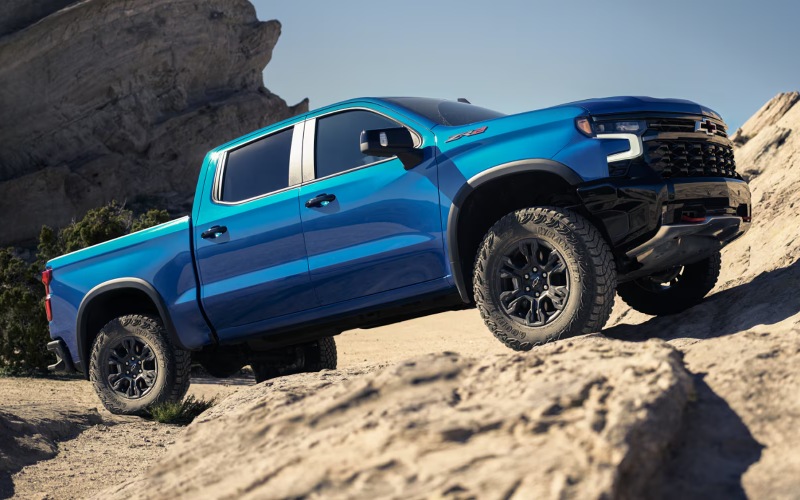
Ancira Winton Chevrolet – Which Camera Views Should You Use When Towing with the 2026 Chevrolet Silverado 1500 in San Antonio, TX?
Confident trailering in and around San Antonio starts with visibility, and the 2026 Chevrolet Silverado 1500 delivers it with up to 14 available camera views, smart alerts, and an intuitive In-Vehicle Trailering App. At Ancira Winton Chevrolet, our team helps local shoppers understand which views to use and when, so every hitch-up at Medina Lake or boat ramp along the Guadalupe feels as smooth as your daily I-10 commute.
This focus on clarity complements Silverado 1500 capability—up to 13,300 lbs. max available towing when properly equipped—along with Trailer Side Blind Zone Alert, available HD Surround Vision, and a dedicated Trailering App that makes setup simple. Below, we outline the most helpful camera views for common San Antonio scenarios, plus quick setup tips so you get the most from your truck on day one.
- Hitch View: Use the guidelines and zoom to align ball and coupler precisely, reducing the number of back-and-forth adjustments in tight driveways.
- Rear Top-Down: See straight down from the tailgate for curb, jack, or obstacle clearance when backing toward a trailer or loading zone.
- Surround View: Get a 360-degree perspective for slow-speed maneuvering in crowded lots near the Pearl or at busy job sites.
- Bed View: Monitor cargo, coolers, or a secured generator during stop-and-go drives across Bandera Road without pulling over.
- Transparent Trailer View: When properly equipped with a compatible accessory camera, virtually see through the trailer to help check following traffic on Loop 1604.
- Rear Trailer View with Guidelines: Keep the trailer centered in your lane and better judge following distance on US-281 or I-35.
- Turn-Signal-Activated Side Views: Expand the view down each side of the trailer when changing lanes or merging onto the highway.
- Front View: Check approach angles and clearances when navigating tight turns, campground entries, or downtown construction zones.
Because the Silverado’s trailering tech is integrated into the 13.4-inch diagonal touch-screen, switching views is quick and intuitive. The Trailering App also brings peace of mind with pre-departure checklists, tire pressure status for compatible trailer sensors, and maintenance reminders tied to your saved trailer profiles.
- Build a trailer profile: Create a custom profile with weight, length, and brake type so the truck can tailor alerts, checklists, and mileage tracking.
- Calibrate your cameras: Follow the on-screen prompts to align guidelines and confirm Transparent Trailer compatibility if you add the accessory camera.
- Set Trailer Side Blind Zone Alert: Turn on visual mirror alerts to help identify vehicles in the trailer’s extended blind zones.
- Run the light test: Use the walk-away light sequence to verify turn signals, brake lamps, and running lights without a second person.
- Save favorite views: Pin your top views—such as Hitch, Rear Trailer, and Surround—so they’re one tap away when you need them.
If you are pairing trailering tech with powertrain choice, our team can help you match your engine to the weight you plan to tow most. Silverado offers four compelling options, including the TurboMax™ with best-in-class standard 430 lb.-ft. of torque, the 5.3L EcoTec®3 V8, the 6.2L EcoTec3 V8, and the Duramax® 3.0L Turbo-Diesel with best-in-class highway fuel economy. The right setup helps you stay within ratings while keeping acceleration, braking, and cooling in their sweet spots across Texas heat.
Camera availability is strong across the lineup—those up to 14 views are available on Silverado LT, RST, LT Trail Boss, LTZ, ZR2, and High Country. If you want a hands-free long-haul solution, High Country also offers Super Cruise® connected by OnStar®, which can assist with hands-free driving on compatible roads—even while towing—when properly equipped.
When you visit Ancira Winton Chevrolet on Bandera Road, we will walk you through the views, demonstrate how to pin favorites, and set up a trailer profile tailored to your boat, landscape trailer, or weekend camper. We can even map a quick loop so you practice backing and lane changes using the views you will rely on most across San Antonio and the Hill Country.
Frequently Asked Questions:
Do I need extra accessories to unlock all 14 available camera views?
Some views use built-in truck cameras, while others require accessories. For example, Transparent Trailer typically requires a compatible accessory trailer camera and proper setup. Inside Trailer View also needs an accessory camera installed within the trailer. Our parts team will confirm what your trailer needs and install the hardware for a seamless experience.
Does Super Cruise® work while towing with the 2026 Silverado 1500?
Available on High Country, Super Cruise® connected by OnStar® offers hands-free driver assistance on compatible roads—even while towing—when properly equipped. It can help manage steering and speed to reduce fatigue on long highway stretches. You should always remain attentive and be ready to take control, especially when traffic or weather conditions change.
Ready to see these views in action? Our product specialists, serving Castroville, Selma, and Boerne, will pair your phone, build a trailer profile, and walk you through the Trailering App on a new 2026 Chevrolet Silverado 1500. Visit Ancira Winton Chevrolet in San Antonio today to test the camera views that fit your towing life—from downtown parking to Hill Country getaways.
0 comment(s) so far on Which Camera Views Should You Use When Towing with the 2026 Chevrolet Silverado 1500 in San Antonio, TX?